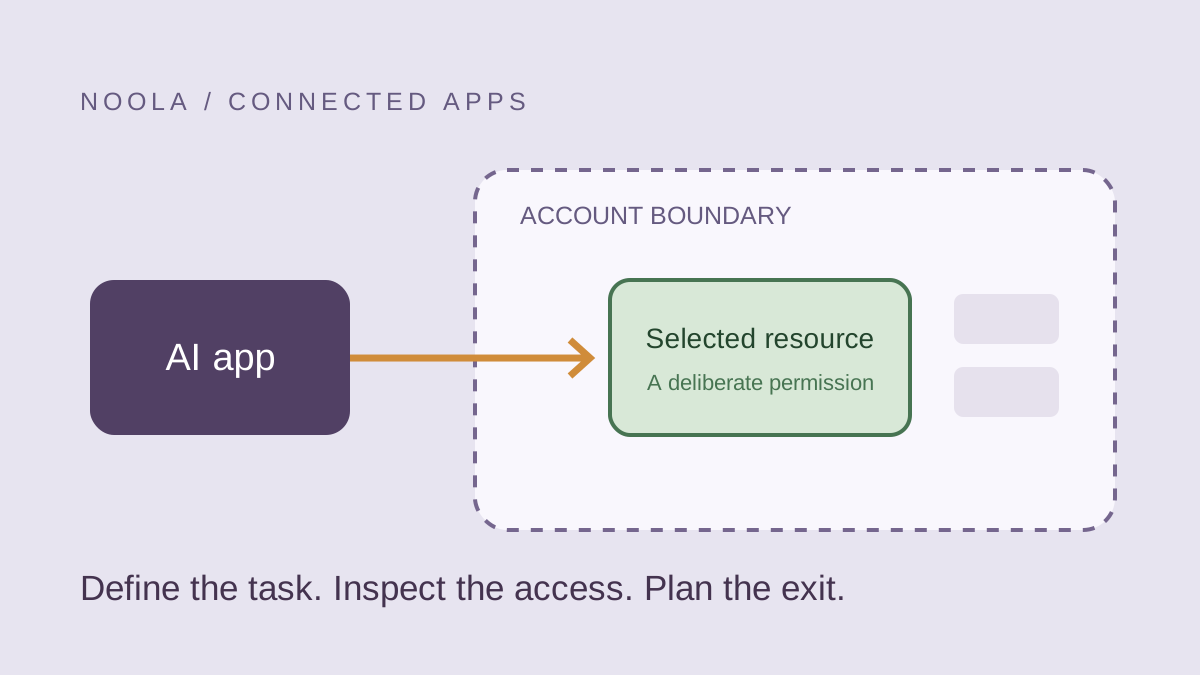
An AI app that can find a file or change a repository may save time, but its connection screen is also an access decision. A good trial answers two questions: can the tool do the intended job, and can you explain the access you granted? This guide turns those questions into a short worksheet you can use before linking an account.
Name the task before opening the consent screen
Write down the smallest job you want the app to perform. For example, a trial might summarize one sample document or inspect one test repository. That statement gives you something concrete to compare with the permissions requested.
Keep account sign-in and access to account data conceptually separate. Google’s help distinguishes Sign in with Google, linked accounts and third-party access to Google Account data. The exact permission screen matters more than a general claim that an app integrates with your provider.
Read the request as an access boundary
Compare the resources named on the screen with the job you wrote down. Look for whether the connection involves reading information, creating or changing it, and acting across a selected resource or a wider account. If the request is unclear, use the provider’s documentation or the app’s explanation before approving it.
| Question | A useful answer for a trial |
|---|---|
| Which account? | The intended personal or organization account, identified before approval |
| Which resources? | The sample document, selected repository or smallest supported scope |
| Which actions? | A plain explanation of what can be read or changed |
| Which data policy? | The app’s published explanation of processing and retention |
| How does it end? | The provider’s documented controls for reviewing or removing access |
Start with a sample that proves the workflow
Use material you are allowed to share. A realistic sample is more informative than a blank file, but it does not need confidential customer records, credentials or private conversations. Include the kind of structure the workflow depends on without including unnecessary personal data.
For GitHub Apps, GitHub documents reviewing granted permissions and changing repository access. A repository-scoped trial can make the boundary easier to understand than granting access across an organization. The available controls depend on the app and your role; ask the owner or administrator when you cannot make the intended selection.
Worked example: a document assistant
Hypothetically, a team wants an assistant to extract action items from a meeting document. They first create a sample with invented names and ordinary tasks. During setup, they compare the app’s requested access with that one-document trial. If the app requires broader access, they pause to understand why rather than interpreting a familiar sign-in logo as an explanation.
They then check the output against the sample and inspect where the result was saved. A useful trial includes correcting an inaccurate action item and locating the finished file afterward. It measures the complete handoff, not just whether a fluent answer appeared.
Plan the exit before relying on the connection
Find the provider’s account page where the connection can be reviewed. Google explains that removing certain links does not delete data held by the other app, so distinguish stopping future access from dealing with data already shared. Read the app’s own deletion and retention information for that second question.
Record the app name, reason for connecting it, responsible person and a sensible review point. Keep tokens, passwords and recovery codes out of that ordinary record. When the trial ends, review unused access through the provider’s documented controls and follow the app’s process for any data you want removed.
A practical go-or-pause decision
Continue when you can explain the task, the resources involved, the requested actions and the exit route. Pause when a permission is broader than you expected, the account is wrong, the data is not yours to share or the retention explanation is missing. An app being available does not decide whether a particular workplace permits it.
Our recommendation is to evaluate the output and the access boundary together. A useful answer is only one part of a successful integration; the connection also needs to fit the account owner’s rules and the sensitivity of the material involved.